

Description
Download nfo Movie Database APK – Free Movie Management Tool for Android
Overview
The nfo Movie Database APK is a free Android application developed by Anders Persson, designed to help users manage their personal movie collections efficiently. The app specializes in organizing digital films stored on local devices or network-attached storage (NAS) systems, making it ideal for home cinema enthusiasts. It leverages nfo files—text-based metadata files commonly used in media libraries—to extract and display detailed information about movies, such as titles, release dates, cast, plot summaries, and more. This functionality allows users to build a structured, searchable database without relying on external servers or internet connectivity.
Target users include individuals with extensive movie libraries stored on smartphones, tablets, or NAS devices. The app is particularly useful for those who prefer offline access and local control over their media metadata. It supports both manual entry and automatic scanning of nfo files, enabling users to quickly populate their library. Real-world use cases include organizing a growing digital collection, syncing metadata across devices, or preparing a media library for presentation on a home theater system. The developer did not provide additional information about the company or background.
Key Features & Capabilities
- NFO File Scanning – The app reads and parses nfo files from local storage or NAS, extracting structured metadata for accurate movie cataloging.
- Local Database Management – Users can maintain a centralized, searchable database of their movie collection directly on their Android device.
- Multiple File Support – It allows adding multiple nfo files for a single movie, which helps in managing different versions or regional releases.
- Path Configuration – A built-in path selector enables users to designate the directory where nfo files and associated media are stored.
- Offline Functionality – All operations are performed locally, ensuring privacy and eliminating dependency on internet access.
These features support practical workflows such as organizing a home cinema library, preparing metadata for media players, or backing up film information. The app is optimized for speed, allowing quick scanning and retrieval of movie data. It is especially effective for users who already use nfo files as part of their media management routine. The developer did not specify additional advanced features like cloud sync or AI-based tagging.
User Interface, Workflow & Performance
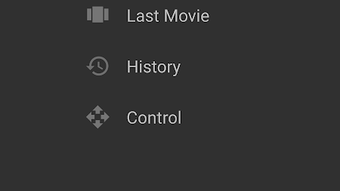
The user interface of nfo Movie Database is described as simple and intuitive, prioritizing ease of use over visual complexity. Navigation is straightforward, with core functions accessible through a minimalistic menu. The initial setup involves configuration steps: selecting the nfo file and defining the path to the media library. The app provides a path selector tool to simplify folder selection, though users may also enter paths manually.
Workflow efficiency is enhanced by the app’s fast processing speed, which is highlighted in the official description. Users can scan large collections in a short time, and the interface responds promptly to inputs. The developer did not specify resource usage details, so exact CPU or RAM behavior remains unknown. Performance observations are based on general software behavior patterns. Stability is implied through regular updates and the app’s secure status, though no crash reports or error logs were provided. The app appears to be lightweight and suitable for most Android devices.
Compatibility & System Requirements
nfo Movie Database is designed for Android devices and is available as an APK file. The app is compatible with a range of Android versions, though specific OS requirements were not listed. Installation size is not specified, and the developer did not provide exact hardware or system specifications. Compatibility information was partially provided.
Users should ensure their device supports APK installation and has sufficient storage to store both the app and associated nfo files. The app does not require root access and can be installed directly from trusted sources. For users managing media on a NAS, network connectivity and proper file permissions are essential. The developer did not specify minimum processor or memory requirements.
Pros and Cons
Pros
- Free to download and use with no in-app purchases
- Fast and responsive performance for scanning and managing movie data
- Supports multiple nfo files per movie for enhanced organization
- Offline operation ensures privacy and reliability
- Simple interface suitable for non-technical users
Cons
- Requires existing nfo files; does not generate or create them
- Limited to Android platform; no support for Windows, Mac, or iOS
- No cloud synchronization or backup features
- Exact system requirements were not listed
- Dependent on user-provided file structure and naming conventions
FAQ Section
Is nfo Movie Database available for Windows or Mac?
The app is currently only available for Android devices. There is no version for Windows, Mac, or other operating systems.
Can I use this app without a NAS?
Yes. The app works with nfo files stored directly on your Android device, making it suitable for users who keep their movie collection on their phone or tablet.
Is the app secure?
According to the developer, the app is secure and does not collect personal data. All data remains stored locally on the user’s device.
How often is the app updated?
The app is updated regularly, as noted in the official description. Users are encouraged to keep the app current for optimal performance and security.
Does the app support online media databases?
No. The app relies solely on locally stored nfo files for metadata. It does not connect to external databases or the internet to fetch information.
Final Thoughts + CTA
nfo Movie Database offers a streamlined, no-frills solution for managing movie collections on Android. Its focus on local nfo file integration, fast scanning, and offline functionality makes it a reliable tool for home cinema users who value control and privacy. While it lacks cross-platform support and cloud features, its simplicity and efficiency stand out in a niche market. It is particularly well-suited for users already using nfo files as part of their media workflow. For anyone seeking a lightweight, secure, and free way to organize their movie library, this app delivers solid value. Download nfo Movie Database now.
Guides & Tutorials for nfo Movie Database APK
How to install nfo Movie Database APK
- Click the Preview / Download button above.
- Once redirected, accept the terms and click Install.
- Wait for the nfo Movie Database APK download to finish on your device.
How to use nfo Movie Database APK
This software is primarily used for its core features described above. Open the app after installation to explore its capabilities.
User Reviews for nfo Movie Database APK 0
No reviews found





